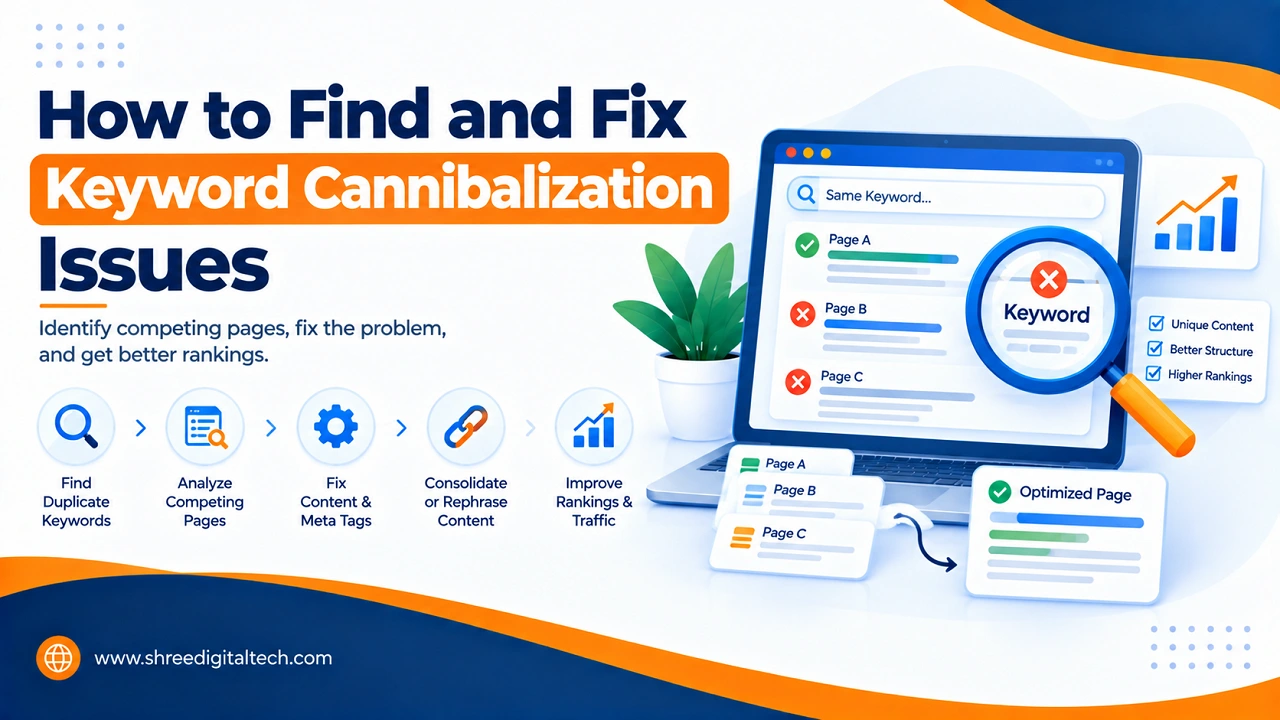
If you create many blog posts or web pages, you could have a problem that you don’t even realize. It is called “keyword cannibalization”. Put it simply, this occurs when two or more pages of the same website attempt to capture the same keyword. These pages are not helping each other but rather are competing with each other in Google. Both pages are now weaker, rather than stronger.
This may occur even if your content is helpful and informative. Your rankings might fluctuate constantly, your pages may not be getting enough clicks, or the wrong page may show up in search results. If you are able to catch this problem early you can enhance the performance of your website to achieve better SEO results.
Let’s learn to understand this problem in simple language and how to find this problem and fix it.
What is Keyword Cannibalization?
Keyword cannibalization occurs when you have a similar keyword on different pages of your website. In the case of two blog posts for “best running shoes” and a page for “top running shoes for men,” both might attempt to rank for a similar keyword. Google is unable to understand which page is the right one. So, neither page ranked as well as it could.
This is NOT duplicate content. Duplicate content is when two pages are virtually identical. Sometimes, even if the text is different, but the topic and keyword is too similar, Cannibalization can occur.
Also Read: How to Audit Internal Links on a Website
Why Is It Bad for Your SEO?
There’s numerous ways keyword cannibalization can negatively affect your website:
- It divides your ranking strength. You don’t get one solid page, you have two or three thin pages.
- Confuses search engines. Google is not aware which page is more important and it can rank the wrong page.
- This decreases your click-through rate. When an incorrect page appears, visitors will not click on it as it is not what they were looking for.
- It boosts the rate of bounce. If the page doesn’t provide the answer correctly, then visitors leave quickly.
- It wastes your backlinks. If other websites link to different pages on the same topic, then the link value changes into the sum of the values of all the other pages, instead of a single strong page.
- It doesn’t use the crawl budget. Search engines crawl through the same pages and not your very best content.
Common Causes of Keyword Cannibalization
This is typically an unintended occurrence, rather than intentional. There are several reasons that are common:
- If you have written a lot of blogs on the same subject over time.
- Similar category pages and blog posts for the same keyword.
- Linking pages using the same anchor text.Linking pages with the same anchor text.
- There is a lack of a good keyword strategy before producing content
- Similar products are grouped together with products that have nearly the same description.
- The pages for all locations that are on the same template and have the same keywords
Also Read: What is Search Visibility and How it Works
How to Find Keyword Cannibalization
No guesswork will be required. There are some easy methods to determine if your website is accessible:
1. Search on Google directly
Using the search syntax above, search Google for the following: site:yourdomain.com “your keyword”. This will display all the pages you have that contain that keyword. Determine whether it’s getting more than one page indexed.
2. Use Google Search Console
Click on Performance > Search Results. Include a filter to your keyword. Next, click on “Pages” to check out the number of pages receiving clicks and views for the same keyword. More than one page is an indicator of cannibalization.
3. Use the &filter=0 trick
Add &filter=0 at the end of a Google search results URL. This shows results without Google hiding similar pages from the same site. It gives you a clearer picture.
4. Use SEO tools
There are tools available such as Semrush, Ahrefs and Screaming Frog that can scan your entire website and identify which pages are competing for the same keywords. These tools save you tons of time from checking the manual.
6. Be aware of symptoms
Be alert to the drop in rankings following new site content, low CTR, high bounce rate, or the frequent fluctuations of rankings between pages. These are typical symptoms.
Also Read: Why Have My Google Rankings Dropped? 9 Real Reasons (And How to Fix Each One)
How to Fix Keyword Cannibalization
When you’ve located the issue, the following are the best methods of fixing it:
Merge the pages. If two pages are virtually identical, let these be merged into a single powerful, detailed page. Next, employ a 301 redirect: the old page to the new page to prevent traffic and backlinks from being lost.
Only use a 301 redirect. If one page is running much more efficiently than the other, simply point the less effective page to the more effective page.
Use a different keyword on each page. Sometimes it is not necessary to join pages. On the contrary, alter the keyword for each page. For instance, one page may be focused on ‘best running shoes for men’ and the other on ‘running shoes for flat feet’. This way, they fulfill different search requirements.
Use canonical tags. A canonical tag is a piece of code that advises search engines on which page is the main one. This is useful for maintaining both copies of a similar page active.
Fix your internal linking. Use the same keyword as anchor text only for the page you want to rank. Don’t link to different pages using the same anchor text.
Noindex weak pages. If it is an old page, thin page, or not useful anymore, you can use a noindex tag to prevent it from competing. This is the final solution to be used as a last resort, as it could impact current website visitors.
How to Avoid It in the Future
It’s best to prevent the problem from occurring in the first place. Create a basic content strategy and use a single keyword on each page. If you need to create new pages, you should search to see if you already have a similar page. Notification of existing material to the team to avoid duplication of content. Conduct content audits regularly every few months, so as to identify issues early.
Also Read: How to Find Low-Competition Keywords (2026 Guide)
FAQ Section
Q1. What is keyword cannibalization in simple words?
When multiple pages within the same website are bidding for the same key word, it means that they compete with one another rather than with the site.
Q2. How can I determine if my site has this issue?
Search site:yourdomain.com “keyword” on Google, or check Google Search Console under Performance to see if multiple pages are getting clicks for the same keyword.
Q3. Is there any difference between keyword cannibalization and duplicate content?
No. Duplicate content is when the text is almost the same. If the topic and intent of the keyword are the same, cannibalization may still occur with different types of texts.
Q4. What is the fastest way to fix it?
If one page is much stronger, then just use a 301 redirect to the stronger page. This will typically be the fastest solution.
Q5. Is it possible to have too many internal links causing this issue?
Yes. When multiple pages use the same anchor text for links, search engines are unable to know which page is more important.
Q6. Is the weaker page always to be deleted?
Not always. If the weaker page is still getting some traffic, it might be better to update it rather than to delete it, if it’s targeting a different keyword.