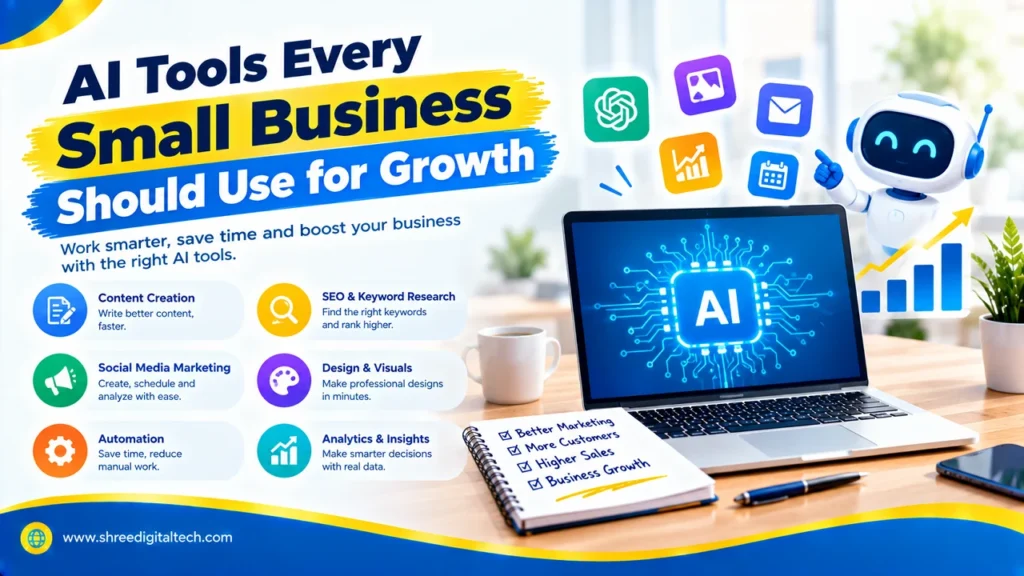
As a small business owner, you have to handle many different tasks. You’re taking calls, posting to social media, writing emails, chasing leads and checking numbers, often in the one day. There’s never enough time. This is where AI tools can come in. They don’t fill your place. They take care of the grunt work so you can focus on customers and growth. Salesforce research found that 75% of small and medium businesses have already invested in AI in some way. Here are the tools to know in 2026.
Why Small Businesses Need AI
AI is useful in many ways. It saves time by performing things like writing drafts, scheduling posts and data entry. It reduces manual work, and so costs. It even gives quick answers after office hours, improving customer service. It also helps you make better decisions by showing you which ads, emails or keywords are most effective. With the right tools, a small team can take on much larger companies.
Also Read: Best AI Tools for Content Creation | 2026 Guide
1. AI Writing Tools for Content
It’s hard to put out new stuff every week. ChatGPT and Claude can help you with blog topics, draft emails, and write product descriptions. Copy.ai and Jasper are built for marketing copy like ad copy, landing page headlines and email sequences. Some can even copy your brand’s voice. Always edit the result before you publish it.
2. Editing and Grammar Tools
A single typo in a client proposal can destroy your image. Use Grammarly, ProWritingAid, and Quillbot to review grammar, tone, and clarity. They can also rewrite long sentences to be shorter and cleaner.
3. Design Tools
A designer is no longer required for each post. Canva’s AI features let you turn simple text into social graphics, fliers and presentations. Adobe Firefly if you’re going to use images in paid ads, as it’s built around commercially safe content.
4. Social Media Tools
Buffer and Hootsuite can write captions, recommend optimal posting times, and schedule posts. Flick assists with hashtags and analytics. For video, CapCut and Opus Clip can take a long video and cut it into short clips that can be used for Instagram Reels or YouTube Shorts, with subtitles added automatically.
5. SEO Tools
Ranking on Google brings consistent, free traffic. Surfer SEO and Frase make you check top ranking pages to tell you how to improve an article. Semrush helps you find keywords your competitors could be missing. The tools give you the data, but you still need good, useful content.
6. Email Marketing and Automation
Email is still one of the best ways to get customers back. With Mailchimp and ActiveCampaign you can automatically segment your contacts and send them personalised follow-ups. Seventh Sense, which integrates with HubSpot and Marketo, analyses the behaviour of each reader, and then sends emails at the time that person is most likely to open them. ManyChat can automate chat responses across social media platforms.
7. AI Receptionists
A missed call is a lost customer. An AI receptionist, like the one Dialpad provides, answers calls, routes them to the right person, and even schedules meetings. Smith.ai and RingCentral provide similar help. Dialpad said one customer, WizeHire, reduced missed calls by 50%.
Also Read: How AI Is Transforming Digital Marketing | Guide 2026
8. Sales and Lead Tools
Not all leads are created equal. Apollo.io and Leadfeeder tell you which companies are visiting your website or looking for a solution so you can reach out to the best leads first. Reply.io, Instantly, and Lemlist automate outreach emails and follow-ups so no lead is left behind.
9. AI Agents and CRM Tools
A CRM keeps all of your customer data in one spot. Salesforce provides Agentforce, a platform that allows you to build AI agents for sales and customer service with little coding. Slack AI is able to summarise team chats and create lists of action items, helping to save meeting time.
How to Choose the Right Tool
Don’t buy all the tools at once. Follow these simple steps:
- Start with one problem. Pick the task that eats most of your time.
- Check the cost. Look for free plans or tools that replace several apps.
- Make sure it connects. The tool should work with your website, CRM, or email platform.
- Protect customer data. Choose trusted providers and follow privacy rules. Salesforce notes that 41% of small businesses using AI still see security as a major concern.
- Train your team. Explain what data can and cannot be used.
Mistakes to Avoid
AI is powerful, but not perfect. It can sound robotic or it can get the facts wrong. Publishing AI text without verification could hurt trust and search ranking. Google likes content that shows real experience and expertise. Add in your own stories, local details and real customer examples. The best results come when the AI does the speed and the humans do the strategy and voice.
Also Read: Best AI Tools for Digital Marketing | 2026 Guide
Final Thoughts
You don’t need to change your whole business to use AI. A good start is one tool solving one repetitive task. Begin with a few, track your results, see what works best, and then add more tools as your business grows and your needs change. This approach helps you save time, reduce manual work, and make daily tasks easier without making things too complicated.
FAQs
1. What are the best AI tools for small businesses on a tight budget?
Start with free or low cost ones. A good starter set would be ChatGPT or Claude for writing, Canva for design, and Buffer for scheduling.
2. Is AI going to take over my marketing team or agency?
No. AI is fast at writing and data jobs, however it cannot generate brand strategy or authentic customer relationships. Consider it a helper, not a substitute.
3. Is AI content safe for SEO?
Yes, as long as it is correct, useful, and edited by a person. Search engines care about the quality of content, not how it was made.
4. How can I use AI content without sounding like a robot?
Use AI for outlines and initial drafts. Then add your own voice, real examples and local details before you publish.
5. What should I do first when adopting AI?
Pick one particular use case, say, answering calls or writing emails. Try one tool, see results, then expand.
Ask AI about this article
Get a quick summary or ask follow-up questions.

Akash Yadav
Part of the Shree Digital Tech team, helping businesses in the USA, UK, Canada, Australia, Europe and India grow with SEO, paid media, content and websites.