Introduction
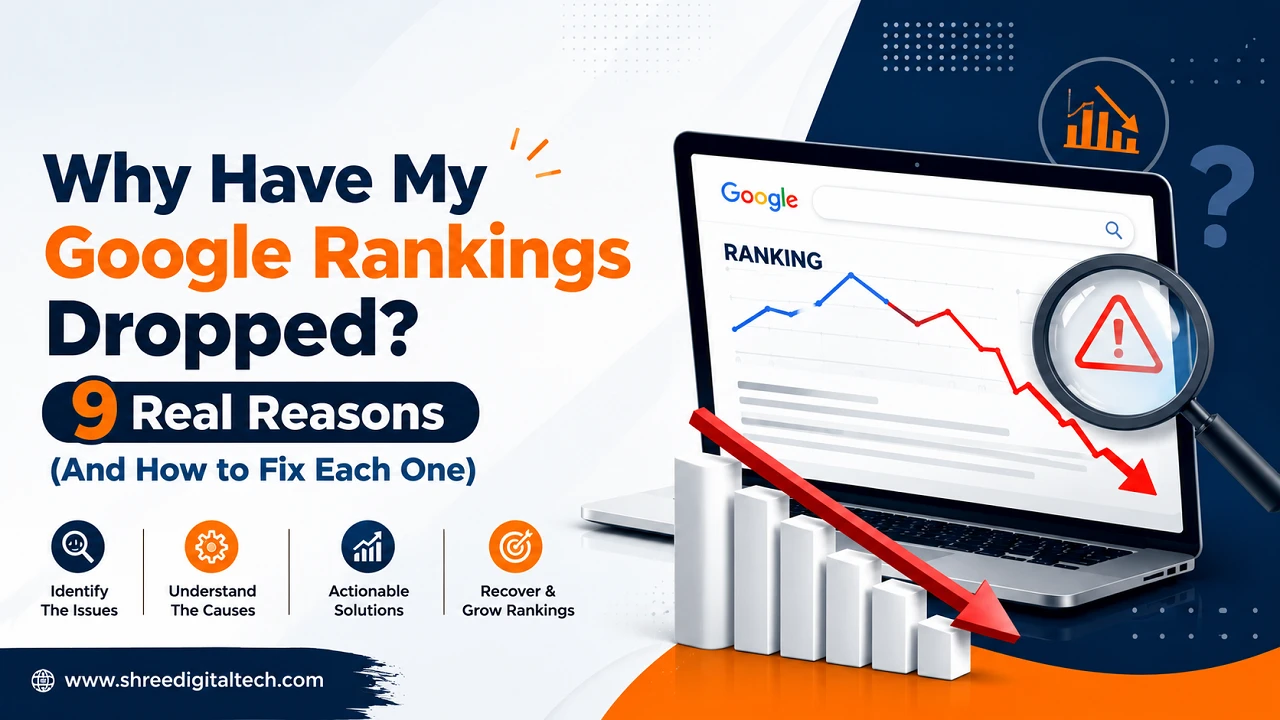
You open Search Console like you do every morning, coffee in hand, and something’s off. The graph that’s usually a flat, boring line is now sloping down. Clicks are lower. Impressions are lower. The page that used to hang out comfortably on page one has quietly slipped further down, or vanished altogether.
If you’re typing “why have my google rankings dropped” into Google right now with a knot in your stomach, here’s the first thing to know: this happens to nearly every site owner eventually. It’s rarely the end of the world, and almost always, there’s a specific reason behind it. You just have to go find it instead of guessing.
That’s what this guide is for. No fluff, no vague “just make better content” advice — just the actual reasons rankings fall and what to check for each one.
First, Make Sure It’s a Real Drop
Before you touch anything on your site, confirm you’re not chasing a phantom problem.
Head into Google Search Console and pull up the Performance report. Compare the last 28 days against the period before it. The thing to look at closely is whether clicks and impressions dropped together. If both fell, you’ve lost actual rankings. If clicks fell but impressions stayed roughly the same, that’s usually a click-through rate issue instead — maybe an AI Overview or a competitor’s snippet is now sitting above you and stealing the click, even though your position hasn’t really moved.
It’s also worth cross-checking with a rank tracker if you use one, since GSC data can lag a day or two behind reality.
Once you’ve confirmed the drop is real, you can start working through the actual causes.
1. A Google Algorithm or Core Update Landed
This is probably the single most common reason for a sudden, site-wide drop. Google pushes core updates and spam update several times a year, and when one of those lines up with the exact day your traffic fell, that’s usually not a coincidence.
Go check the date your drop started and hold it up against Google’s Search Status Dashboard, which lists every confirmed update and when it rolled out. If they match, Google is essentially saying other pages now serve that query better than yours currently do.
There’s no shortcut here, unfortunately. You can’t “fix” a core update overnight. What actually works is going back into your content, adding real depth and first-hand expertise, and cleaning up anything that reads as thin or generic — then waiting for the next update to see if it moved the needle.
2. A Manual Action or Penalty
This one’s rarer, but it’s the scarier of the two. A manual action means an actual human at Google reviewed your site and flagged it — usually for things like spammy link schemes, cloaking, or content that’s clearly built to game the system rather than help a reader.
Check for it under Security & Manual Actions in Search Console. If something’s listed there, that’s your answer, plain and simple.
Unlike an algorithmic drop, this needs a direct response: fix whatever’s called out, document what you changed, and file a reconsideration request. Just improving your content in general won’t undo a manual action — Google needs to see the specific issue addressed.
3. Something Broke on the Technical Side
Sometimes nothing about your content changed at all. Google just can’t crawl or index the page properly anymore, and that’s enough to tank your visibility.
A few usual suspects:
- A noindex tag that got left on a page after a redesign
- A robots.txt rule accidentally blocking an important folder
- Canonical tags pointing to the wrong URL
- Server timeouts or slow loading that’s making crawlers give up early
Run the affected URL through the URL Inspection tool in Search Console, or do a full site crawl with something like Screaming Frog if you suspect it’s wider than one page. Once you find the culprit, fixing it is usually straightforward, and it’s also the fastest type of recovery — often within days once Google recrawls.
4. You Recently Changed the Site
Redesigned the site? Switched CMS? Restructured your URLs, or moved to a new domain? Any of these can quietly tank rankings, even if the new site looks better and works fine for actual visitors.
The most common mistake here is missing redirects. Every old URL need to 301 to wherever that content now lives — skip that step, and you basically throw away all the ranking signals that page had built up. Double-check your sitemap and internal links were updated too, since Google still partly relies on those to understand your site structure.
5. Your Content Has Quietly Gotten Stale
This is less of a crash and more of a slow leak — the kind of thing behind “my website ranking is going down” rather than a sudden cliff dive. A page that ranked well two or three years ago can lose ground simply because:
- The stats, pricing, or advice on it are now outdated
- Competitors have since published something more thorough
- It was never that deep to begin with, and the bar for that keyword has risen since
The fix is a proper content audit. Go search your own target keyword in an incognito window and actually look at what’s ranking above you right now. Nine times out of ten it’ll be obvious that they have that you don’t — more depth, better examples, newer data, cleaner formatting. Match or beat that.
6. Backlinks You Relied On Have Disappeared
Links are still one of the strongest trust signals Google uses, and they don’t stick around forever. A site linking to you could go offline, delete the page, or just decide to clean up their outbound links — and any of that can quietly weaken your authority.
There’s a sneakier version of this too: your total link count barely changes, but Google’s spam-detection systems start discounting a chunk of them as low-quality or manipulative, even if you never built them that way yourself.
Pull up your backlink profile in Ahrefs or SEMrush and look for recent losses. For links worth chasing, a polite email asking about reinstatement sometimes works. Otherwise, put the energy into earning new links from genuinely relevant sources rather than trying to replace volume with more volume.
7. A Competitor Simply Outworked You
Not every drop is really about you. Sometimes a competitor redesigned their page, picked up a few solid links, sped up their site, or just wrote something more useful — and they earned the spot you used to sit in.
There’s no penalty to fix here, no algorithm to blame. Pull up their page next to yours and look at it honestly. What are they doing that you’re not?
8. Google’s Idea of “Best Answer” Has Shifted
Search intent isn’t fixed. A keyword that used to pull up blog posts might now favor comparison tools, product pages, or videos instead, because Google’s noticed that’s what people actually want when they type that phrase.
Search the term yourself and look at the format of what’s ranking. If it’s suddenly dominated by video or interactive tools instead of articles, that’s the signal — you’ll either need to adapt the format, or shift focus to a related keyword where your existing content still fits.
9. AI Overviews Are Eating Your Clicks
Here’s one that trips people up: your position in the rankings hasn’t actually changed, but your traffic still dropped. AI Overviews, featured snippets, and other SERP features now sit above the regular results and often answer the question before anyone clicks through at all.
Technically your ranking is fine. Practically, it feels exactly like a ranking drop because the traffic is gone either way. The best move is structuring your page to answer the core question clearly near the top — it improves your odds of being the source an AI Overview actually cites, which at least gets your brand in front of people even when they don’t click.
How to Actually Diagnose Your Drop
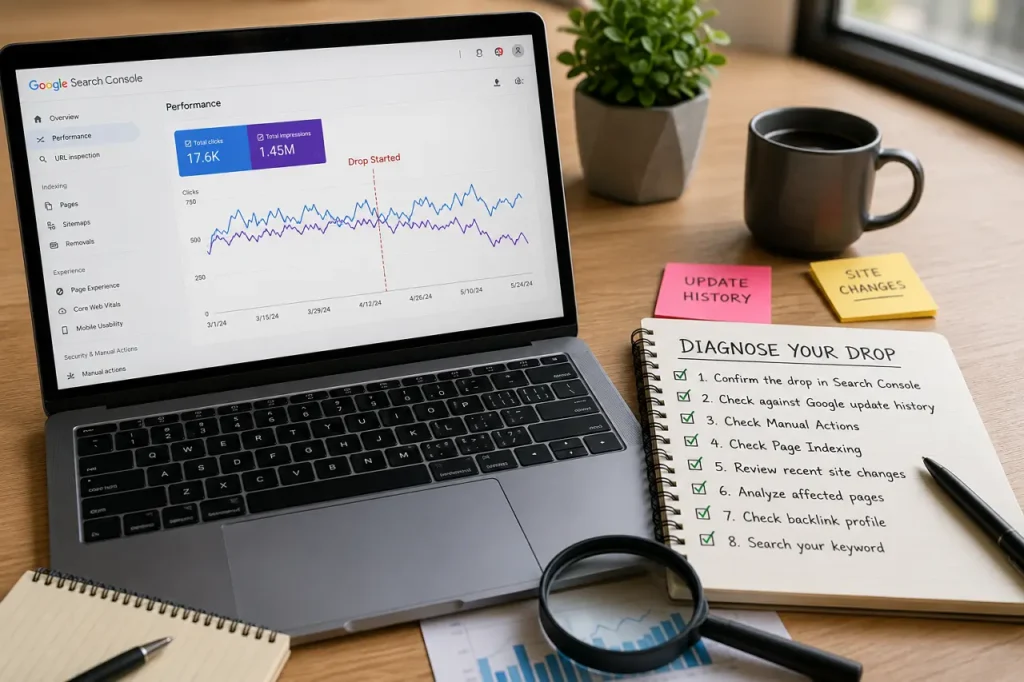
Instead of jumping straight to fixes, work through this in order:
- Confirm the drop in Search Console — clicks and impressions falling together, not just one.
- Note the exact start date and check it against Google’s update history.
- Check Manual Actions for a penalty.
- Check Page Indexing for crawl or indexing errors.
- Think back on any recent site changes — redesign, migration, plugin updates, URL edits.
- Look closely at the specific pages that lost the most visibility. Are they outdated? Thin?
- Check your backlink profile for anything you recently lost.
- Search your own keyword and see what’s currently sitting above you.
Doing this in order, rather than randomly changing things and hoping, is really the only reliable way to fix low google ranking problems without wasting weeks on the wrong fix.
How Long Does It Actually Take to Recover?
It depends entirely on the cause:
- Technical fixes (redirects, indexing errors) often show up again within days once Google recrawls.
- Content improvements usually take two to eight weeks before they’re reflected.
- Core update drops typically don’t resolve until the next core update rolls out, since Google needs to reassess your whole site.
- Manual actions get resolved only once your reconsideration request is reviewed and accepted.
Rankings dropping feels awful in the moment, but most of the time it’s diagnosable, and once you know the cause, the fix is usually clear.
FAQs
1. Why have my Google rankings dropped suddenly?
Most sudden drops trace back to a core or spam update, an accidental technical error like a stray noindex tag, a manual action, or a recent site change those broke redirects. Start in Search Console and match the date to see which one fits.
2. Why do I rank low on Google even though my content is good?
It’s possible the search intent for that keyword has shifted, or competitors have simply published something deeper and more useful since you last touched the page. Pull up what’s ranking now and compare honestly.
3. My website ranking is going down gradually — is that different from a sudden drop?
Yes, and it usually points to a different cause. A gradual slide is typically content going stale, backlinks slowly weakening, or competitors steadily improving, rather than one single event like a penalty or update.
4. How do I check why my rankings dropped?
Start with the Performance report in Search Console to confirm it’s real, then check Manual Actions, Page Indexing, and cross-reference the date with Google’s algorithm update history.
5. How can I recover lost SEO rankings?
Find and fix the actual cause first, whether that’s a technical error, thin content, lost links, or a penalty, and then give it time. Technical fixes can show results within days, while content and authority-related recovery usually take weeks.
6. Can a Google Maps or local ranking drop have different causes?
Yes. Local rankings also depend on things like proximity, review activity, and nearby competitor changes, none of which really factor into standard organic rankings.
7. Does a keyword ranking drop always mean a penalty?
No, and honestly, penalties are the least common cause. Manual actions always show up in the Manual Actions report if they exist. Most drops trace back to algorithm changes, technical issues, or content that’s fallen behind.