Introduction
WordPress is well-known for not requiring you to write code in order to create almost any type of website. However, plugins are what actually do the magic. A plugin is a piece of software that extends the functionality of your site such as a contact form, a security shield or a speed booster. Plugins are what make WordPress more than just a plain blogging tool. With the right plugins it can be an online store, a booking system or a lead generating machine for your business.
But more WordPress plugins don’t automatically mean a better website. Adding too many will slow your site, create security risks, and become harder to manage. The smart approach is to pick a small number of trusted plugins, that each do one job well. We will walk through the plugin categories every website needs and explain why they are important in simple, easy to understand language in this guide.
1. SEO Plugin
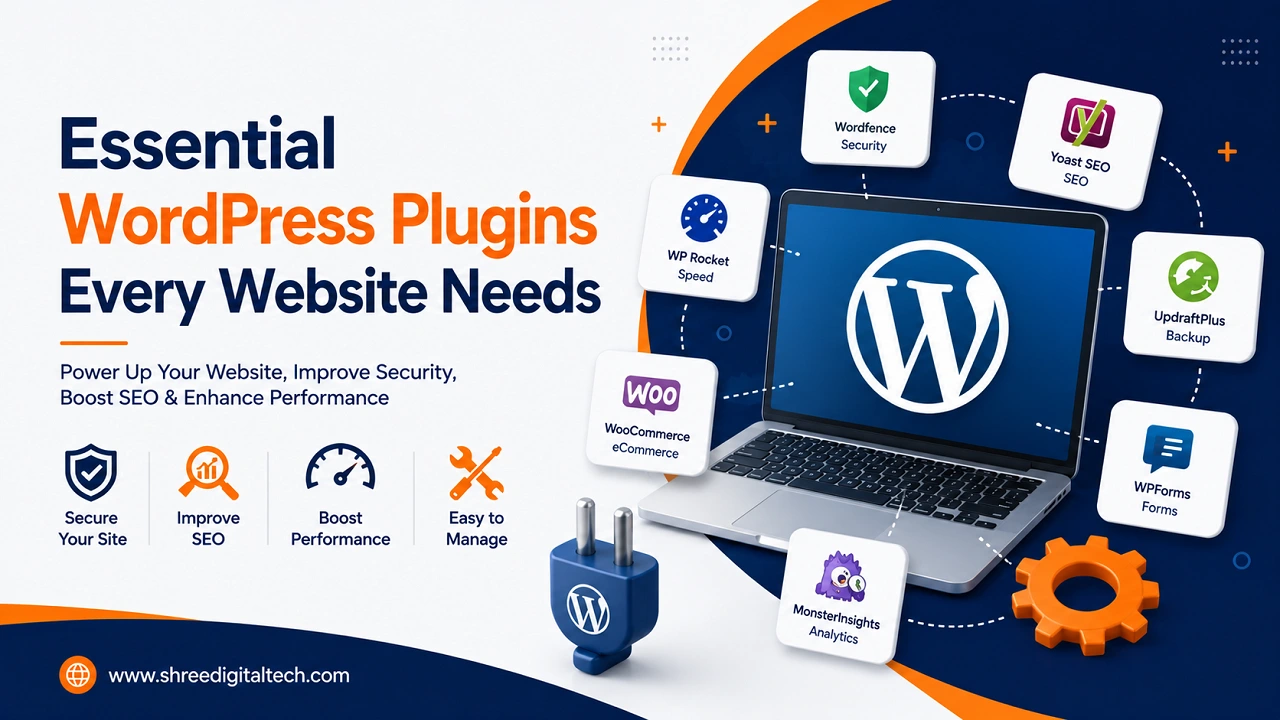
No matter how good your website looks if people can’t find it on google. A Search Engine Optimization (SEO) plugin lets you control page titles, meta descriptions, sitemaps and schema markup, so search engines can better understand your content. Some of the most popular options are Yoast SEO and Rank Math. Both are great, so pick one and go with it. In fact, running two SEO plugins together can actually create conflicts and slow down your site, rather than help it.
2. Security Plugin
Since WordPress is such a popular platform, WordPress sites are a constant target for hackers. A good security plugin such as Wordfence or Sucuri will add a firewall, scan your files for malware, and block suspicious login attempts. Many of these plugins also have two-factor authentication, making it much harder for anybody to break into your admin login even if they guess your password.
3. Backup Plugin
No website is 100% secure from mistakes, hackers, or server problems. For this reason, a backup plugin is one of the most important things you can install. UpdraftPlus and similar plugins enable you to schedule automatic backups and securely store copies on Google Drive, Dropbox or another cloud service. Never assume the backups of your hosting company are enough. Having your own copy allows you to restore your site fast if something goes wrong.
4. Caching and Performance Plugin
People will leave a slow website in seconds and Google ranks fast sites higher. Plugins such as WP Rocket or the free W3 Total Cache make cached copies of your pages that are ready to serve, so they load immediately, rather than having to be generated each time a visitor arrives. They can also minify your code (make it smaller) and allow for lazy loading, where images only load when a visitor scrolls down to them.
5. Image Optimization Plugin
One of the main reasons websites load slow is due to large, unoptimized images. Services like ShortPixel or Smush will compress your images automatically upon upload, making the files smaller without compromising the visual quality. Some of these plugins can even convert your images into modern formats like WebP that load even faster.
6. Contact Form Plugin
All business websites require an easy way for visitors to get in touch. Plugins such as WPForms, Contact Form 7 or Gravity Forms will help you create simple or advanced forms without touching a single line of code. Long forms will scare visitors away. Keep your forms short, only ask for the information you really need.
7. Analytics Plugin
What you don’t measure you can’t improve. Your site is hooked up to Google Analytics and Search Console directly from your WordPress dashboard using an analytics plugin (or Google’s official Site Kit plugin). It tells you how many people are visiting your site, which pages are the most popular and where your traffic is coming from.
8. E-commerce Plugin
If you want to sell products or services online, you need WooCommerce. It’s a free plugin that allows you to turn your website into a full-fledged online store with product, cart, checkout and shipping handling. You can integrate payment gateways like Stripe or PayPal to allow your customers to pay easily and safely.
9. Redirection Plugin
Websites are always changing. Pages go away, URLs change and old links can go bad. A redirection plugin ensures that visitors and search engines are automatically sent to the correct new page, rather than a frustrating “404 Not Found” error, protecting your user experience and your SEO rankings.
Selecting Plugins Wisely
Before you install any plugin, check a few simple things Is it regularly updated? Does it have a lot of active installs? Are most of the reviews positive? Is there any active support? A plugin that ticks all those boxes is much safer and more reliable than a flashy-looking one that is badly maintained.
Closing Words
It’s not about the large number of plugins; it’s about the quality of plugins. Focus on the main categories of SEO, security, backups, performance, images, forms, and analytics. Add more only if your business really needs them, like e-commerce or booking tools. Every few months review your plugin list; remove anything you no longer use and keep everything updated. Your website will be fast, safe and easy to manage for years to come with a lean, well-chosen plugin stack.
FAQs
1. How many plugins should a WordPress site have?
The number is not fixed. Instead of counting plugins, consider what your website actually needs to do. For a small business site, you may only need five or six good plugins, but a larger site with an online shop may need more.
2. Can I use Yoast SEO and Rank Math together?
No, it’s best to have only one SEO plugin at a time. Running two of these together can cause conflicts, duplicated settings and even slow down your website.
3. Do I still need a backup plugin if my hosting provider already backs up my site?
Yes. Backups on the host are great, but not always reliable or easy to restore quickly. Your backup plugin provides you with an additional layer of security and more control over when and where your backups are saved.
4. Are free plugins safe to use, or should I always pay for premium ones?
Free and premium plugins can be effective and safe. Here price is not the most important factor, what you need to look at is the update history, reviews and number of active installations of the plugin.
5. What is plugin bloat and how do I prevent it?
You get plugin bloat if you install too many plugins, especially plugins that do similar things. This can slow your site down, and introduce security risks. Avoid this by installing only what you really need and removing plugins you don’t use anymore.