In this article
- What Is the 304 Status Code?
- Is the 304 Error Code Really an Error?
- How Does HTTP 304 Work?
- Important Headers Behind the 304 Code Status
- 304 vs 200: What Is the Difference?
- Real-Life Examples of HTTP 304
- Does the 304 Not Modified Status Affect SEO?
- When Does the 304 Status Become a Problem?
- How to Fix 304 Problems
- Quick Tips for Website Owners
- Conclusion
- Frequently Asked Questions
Have you ever opened a website you visited yesterday and it loaded almost instantly? This is usually because of HTTP status code 304. Lots of people see “304” in their browser tools and think something is broken. They look up “304 error” or “error 304” and get worried. There is usually nothing wrong.
In this guide we explain what the http 304 Not Modified response means, how it works, when it can cause problems and how to fix those problems.
What Is the 304 Status Code?
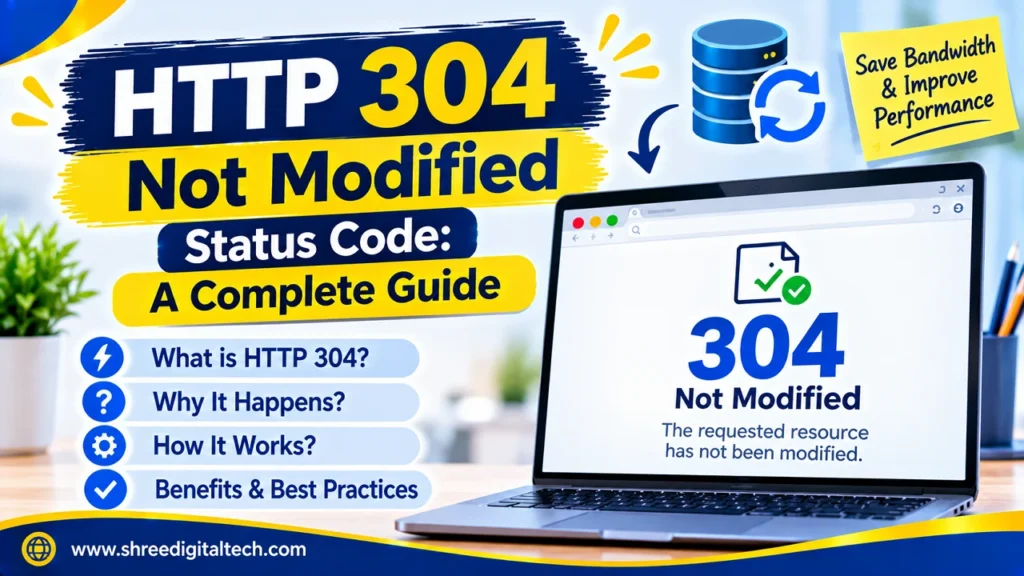
The 304 status code is a message from a web server to a browser . It means: “The file you have already saved is up-to-date. Use that copy.
With this response the server sends only headers and no file content. Then the browser fetches the file from its own cache. That saves data and makes pages load more quickly.
The HTTP return code 304 is part of the 3xx group, the so-called redirection codes. But it doesn’t take you to a new page. It just directs the browser back to the copy it already has cached.
Is the 304 Error Code Really an Error?
No. Although many people call it a 304 error code, it is not a failure. Errors usually belong to the 4xx and 5xx groups, such as 404 or 500. The 304 HTTP code is a sign that caching is working correctly.
This is only a problem when a website has changed but visitors see the old version. That’s a caching configuration problem, not a real error.
Also Read: ERR_CONNECTION_REFUSED: Why It Happens and How to Fix It
How Does HTTP 304 Work?
The process has three simple steps:
Step 1: The first visit. You visit a site for the first time. The server sends the whole file and a 200 OK status. It also sends some additional information like an ETag, a Last-Modified date and a Cache-Control rule. The file is saved by your browser with this information.
Step 2: The next visit. The browser does NOT download the file again when the saved copy is old. First it asks a question of the server. This is known as a conditional request. It uses one of the following headers:
- If-None-Match: Does this file still have the same ETag as mine?
- If-Modified-Since: Is this file modified since this date?
Step 3: The server answers. If the file has not changed then the server sends a response of 304 Not Modified. If it has changed, the server sends back the new file with a 200 OK.
Important Headers Behind the 304 Code Status
Here are the headers that decide whether you get a 304 or a 200.
- ETag: A unique ID for each version of a file. If the file changes, the ETag changes.
- Last-Modified: The date and time the file last changed.
- If-None-Match: Sent by the browser with the saved ETag.
- If-Modified-Since: Sent by the browser with the saved date.
- Cache-Control: Tells the browser how long it can keep a file before checking again. For example, max-age=3600 means the browser can reuse the file for one hour without asking the server.
If both ETag and Last-Modified are present, the ETag check is usually treated as more accurate.
304 vs 200: What Is the Difference?
A 200 OK reply sends the complete file. A 304 reply sends no file at all, only headers.
The page looks the same to the visitor in any case. The difference is speed and data usage. Say you have a 500 KB image . A 304 response saves the entire 500 KB for a repeat visit.
It also helps to know the difference between a 302 & 304. 302 – Temporary Redirect (to a different URL) A 304 just says the cached copy of the current URL is still good.
Also Read: How to Fix the 503 Service Unavailable Error | 2026 Guide
Real-Life Examples of HTTP 304
The following status code is found in many places:
- CSS and JavaScript files: A site’s stylesheet changes very rarely. If they’ve been there before, they get a 304 and reuse the file they saved.
- Blog posts: If you open an old post that has not been edited, page can be loaded from cache.
- APIs: The saved ETag is sent to the API by the app. If the data is the same, the API responds with 304 and no data.
- CDNs: Content Delivery Networks also check files with ETags and return a 304 if nothing has changed.
Does the 304 Not Modified Status Affect SEO?
The 304 Not Modified response doesn’t hurt SEO. Search engine bots such as Googlebot also make conditional requests. If they get a 304 they know the page hasn’t changed since the last time they visited it so they skip the download.
This helps in a couple of ways:
- It saves server resources and bandwidth..
- It helps big sites use their crawl budget more effectively. Google can use its time on new or updated pages.
- Faster repeat loads support a better user experience.
There is one danger. Crawlers may not see your changes if your server returns a 304 even after you have updated a page. That’s why your ETag and Last-Modified values must always be right.
When Does the 304 Status Become a Problem?
You only need to act in some situations:
- You updated your website but visitors are still seeing old content.
- Your server keeps returning 304 even when the file is different.
- Your server always responds with 200 so your site is slower than it should be . Caching isn’t working .
How to Fix 304 Problems
1. Clear Your Browser Cache
If you are a visitor seeing old content, this is the quickest fix. In Chrome, go to Settings, then Privacy and Security, then Clear Browsing Data. Select “Cached images and files” and click Clear Data. Other browsers have a similar option.
You can also try a hard refresh. Press Ctrl + F5 on Windows or Cmd + Shift + R on Mac.
2. Disable Cache While Testing
If you’re a developer, open Chrome DevTools and go to the Network tab. Disable cache tick Now each request will return a fresh 200 response and you can actually see your updates making it to the browser.
3. Check Your ETag and Last-Modified Headers
Ensure that these values change every time the content changes. If they remain unchanged, your server will continue sending 304 even for changed pages.
Also Read: Evergreen Content vs Trending Content: Key Differences Explained
4. Adjust Cache-Control Settings
A very long max-age can keep old files in browsers for too long. You can lower it for files that change often. For example, in Nginx:
location ~* \.(css|js)$ {
add_header Cache-Control “public, max-age=300”;
}
If you want the browser to check with the server every time, use no-cache. It does not stop caching. It only forces the browser to confirm that its copy is still valid. If nothing changed, you still get a 304, and if something changed, you get fresh content.
Avoid no-store on pages you want crawled efficiently. It stops caching completely, so 304 responses cannot happen.
5. Check Your CDN and Proxy
If you are using a CDN or reverse proxy, the 304 response may be coming from there and not your main server. Check CDN cache settings and clear cache after major updates. In this case, clearing the cache of the browser will not help.
6. Use File Versioning
Add a version number or hash to your CSS and JavaScript file names, for example style.v2.css. When the file changes, the name changes too. Browsers treat it as a new file and download it right away. This is one of the most reliable ways to avoid stale files.
Quick Tips for Website Owners
- Always send ETag or Last-Modified headers so that browsers and bots can validate files.
- Define sensible Cache-Control rules for various file types. Images can be cached a long time, HTML pages need to be checked more often.
- Test your site on all browsers and devices after every update.
- Review your server logs and the Crawl Stats report in Google Search Console to see how many 304 responses you get.
Conclusion
The HTTP 304 status code isn’t a scary problem. It’s a clever feature that makes websites load faster, and use less data. It’s important to learn about the 304 not modified response, as well as Etag, Last-Modified, and Cache-Control headers to keep your site fast and up to date.
If ever visitors see old content, the fix is usually simple. Check your headers, clear your cache at the browser/server/CDN level and use versioned file names for files that get changed. With the right setup, error 304 worries disappear and you get the full speed and SEO benefits of good caching.
Frequently Asked Questions
1. What is 304 Not Modified?
This means that the file saved in your browser is still up-to-date. The server responds with no content, and the browser uses the copy it has saved.
2. Is HTTP 304 bad?
No. If caching works it’s a good sign. Only needs attention if users see outdated content.
3. Does a 304 status code affect SEO?
No. Search engines do this correctly. The only problem is if the server returns 304 when the content has changed.
4. Why do I see 304 in the browser’s Network tab?
Your browser had the file saved, checked with the server, and the server confirmed it had not changed. This is normal on repeat visits.
5. What is the difference between a 304 and a normal cached 200?
With a 304, the browser still contacts the server to check. With a “200 from cache,” the saved file is still fresh under its Cache-Control rule, so the browser does not contact the server at all.
6. How can I stop getting 304 responses?
Use Cache-Control: no-store to stop caching completely. But this is rarely a good idea, because you lose the speed benefits. For most sites, correct headers are a better solution.
7. Does a 304 response have a body?
No. A 304 response consists of headers only.
Ask AI about this article
Get a quick summary or ask follow-up questions.

Akash Yadav
Part of the Shree Digital Tech team, helping businesses in the USA, UK, Canada, Australia, Europe and India grow with SEO, paid media, content and websites.