In this article
- Introduction
- 1. Ignoring Updates
- 2. Using Weak Passwords
- 3. Not Using Two-Factor Authentication
- 4. Installing Too Many Plugins and Bad Themes
- 5. Skipping SSL
- 6. Giving Admin Access to Too Many People
- 7. No Firewall or Site Monitoring
- 8. Not Taking Regular Backups
- 9. Choosing Cheap or Weak Hosting
- 10. Depending Only on a Hidden Login URL
- Final Words
- FAQ
Introduction
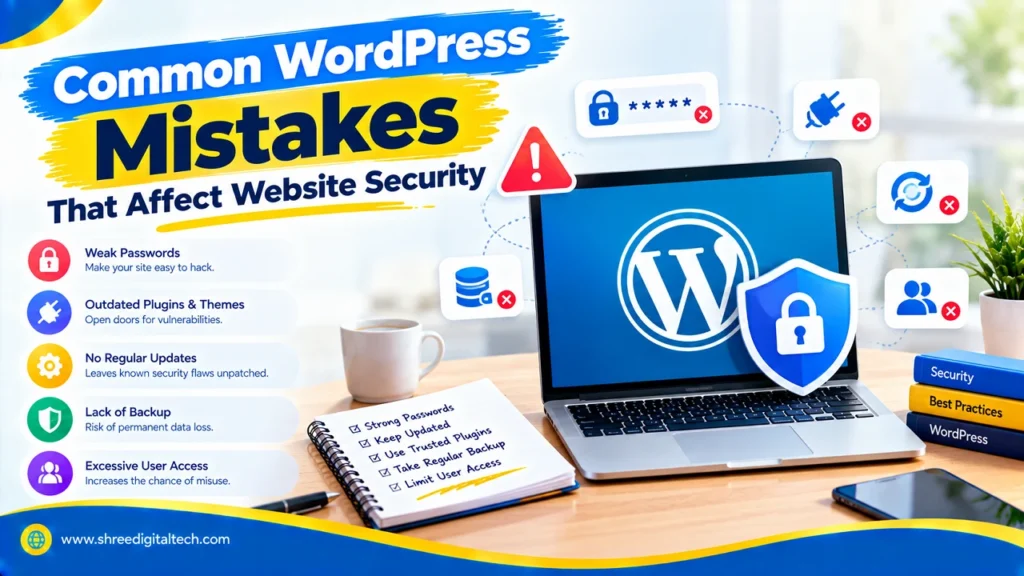
WordPress powers a large portion of the internet, which is why hackers like to target it. The good news is that most hacked sites aren’t broken by clever tricks. They are hacked due to small, easily avoidable mistakes. In this article, we will go over the common WordPress mistakes that damage website security and how to fix them.
1. Ignoring Updates
WordPress core, plugins and themes are updated often. Many of these updates fix security holes that hackers already know how to exploit. If you wait too long, your site is still vulnerable to those attacks. Especially risky are old plugins that haven’t been updated in months and abandoned themes.
How to Fix: Check for updates weekly, enable automatic updates for minor releases and make a backup before any major update.
Also Read: How to Make Your WordPress Website Faster | 2026 Guide
2. Using Weak Passwords
Bots spam login pages with thousands of common passwords all day long. They make their job easy by using short passwords, words like “admin” or “password” and the same password on many sites.
How to Fix: Use long, unique passwords (16 characters or more). A password manager can keep them for you. Also, please do not use “admin” as your username.
3. Not Using Two-Factor Authentication
A password can be stolen or guessed by itself. Two-factor authentication (2FA) involves another step, like a code from your phone. Even if someone gets your password, they can’t log in without that code.
How to Fix: Enable 2FA for all admin accounts. Many security plugins provide this free of charge.
4. Installing Too Many Plugins and Bad Themes
More code means more potential for a weakness, and every plugin is more code. Hackers often get in through unused plugins, abandoned plugins by developers and badly coded free themes. Even a plug-in that is turned off can be a risk if it is left installed.
How to Fix: Keep only the plug-ins you really need. Before installing check last update, active installs and user reviews. Remove what you don’t use. Pick lightweight, well-supported themes from reputable developers.
Also Read: Essential WordPress Plugins Every Website Needs
5. Skipping SSL
An SSL certificate provides your site with the HTTPS padlock. Without it, information sent between your visitor and your site, including login details, can be intercepted and read by others. Browsers also display a warning, “Not Secure,” that causes visitors to leave.
How to Fix: Nearly all hosting companies offer free SSL. Turn it on and ensure that your entire website is served over HTTPS.
6. Giving Admin Access to Too Many People
Your site will be fully under the control of an administrator. If an admin account is compromised, the attacker owns everything. A lot of site owners grant admin rights to writers or freelancers or developers, who don’t need it.
How to Fix: Only assign each person their required role. Cut back on the admin accounts and get rid of any old ones immediately.
7. No Firewall or Site Monitoring
Many owners first learn of a hack when Google flags it or customers complain. By that time the damage is done. Without monitoring, you might miss strange login attempts, changed files, new unknown admin users or hidden malware.
How to Fix: Install a trusted security plugin such as Wordfence or Sucuri. It adds a firewall, scans for malware, and sends alerts when something looks wrong.
8. Not Taking Regular Backups
Most people think about backups when something goes wrong. A hack, server crash or failed update can destroy months of work in minutes. Recovery can be very hard or very costly if you don’t have a backup.
How to Fix: Schedule automatic daily backups. Back up copies to off-site locations (e.g., cloud storage) Keep some older versions, and test a restore from time to time to make sure it works.
Also Read: What Makes WordPress the Best CMS for Business Websites
9. Choosing Cheap or Weak Hosting
Hosting is where your website lives. Some of the cheapest hosts run old software, have poor security, and don’t support the latest versions of WordPress. This leaves your site vulnerable to attacks and it also makes it slow.
How to Fix: Choose a trusted host with good uptime, regular backups, malware scanning and SSL included. Read the reviews before you buy.
10. Depending Only on a Hidden Login URL
Some people change the default login address, like /wp-admin, and think their site is now safe. This can reduce some bot traffic, but it is not real protection. Wordfence calls this “security through obscurity,” which often gives a false sense of safety. A determined attacker can still find the new URL.
How to Fix: Think of a custom login URL as a little extra, not the main line of defence. What really protects you are strong passwords, 2FA, login attempt limits and a firewall.
Final Words
Most WordPress security issues are caused by simple practices: late updates, weak passwords, excess plugins, no backups, and no monitoring. They don’t have to be techies to fix them. Use strong logins with 2FA, have a security plugin and backups in place and spend a little time each week on updates and checks. These small steps prevent most common attacks and protect your website, your visitors and your business.
FAQ
1. What is the biggest WordPress security mistake?
One of the biggest is ignoring updates. Hackers can exploit known holes in security left open by outdated core files, plugins and themes.
2. How frequently should I update my WordPress site?
Check for updates at least weekly. Always backup first, especially before major updates.
3. Are too many plugins dangerous for my site?
Yes. More plugins means more code and more chances for bugs and vulnerabilities. The most dangerous are unused or abandoned plugins, so remove them.
4. Is it sufficient to change the WordPress login URL in order to maintain security?
No. It may reduce bot attempts, but it won’t stop real attacks. Use good passwords, two factor authentication, login limits and a firewall.
5. Do I need an SSL certificate?
Yes. SSL encrypts the data exchanged between your site and visitors, builds visitor trust, and prevents the dreaded “Not Secure” warning. Most hosts provide it for free.
6. What do I do if my site gets hacked?
Restore clean backup, Change all passwords, Update everything and Scan for malware. That’s why it is so important to have regular backups that are off your server.
Ask AI about this article
Get a quick summary or ask follow-up questions.

Akash Yadav
Part of the Shree Digital Tech team, helping businesses in the USA, UK, Canada, Australia, Europe and India grow with SEO, paid media, content and websites.