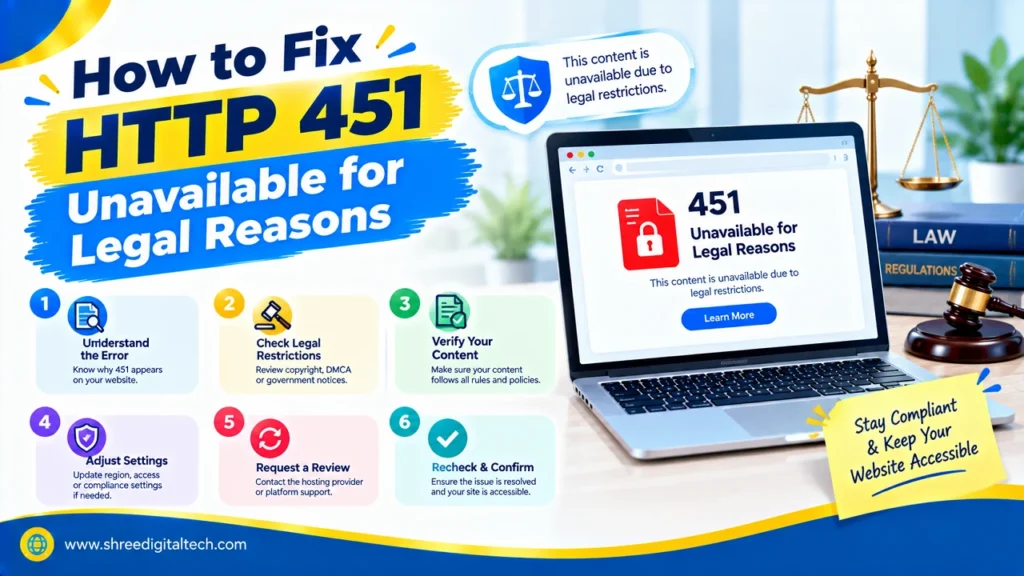
While surfing the web you receive the message: “451 Unavailable for Legal Reasons. There’s no page that’s broken, and no internet that’s broken. This page is blocked, either due to a law or to a court order.
This step-by-step tutorial explains the meaning of the error code, its causes and remedies. This covers visitors who witness the error and website owners who deliver the error.
What Is the HTTP 451 Error?
HTTP 451 is a status code that tells you a web page cannot be shown because of a legal demand. The demand may be from a court order, the government or a copyright claim.
In 2015, the code was adopted as an official standard (RFC 7725). The concept was to open up website blocking. Prior to this code, blocked pages would present a generic error message and users would have no idea why.
The server need not indicate whether or not the page exists. It only states that it cannot display the page due to a legal demand.
Also Read: How to Fix a 502 Bad Gateway Error: Step-by-Step Guide
Why Is It Called 451?
The figure is from Ray Bradbury’s novel Fahrenheit 451, in which books are burned. This connection makes the error sometimes referred to as the “censorship error.”
How 451 Is Different from Other Errors
A 404 (Not Found) or 500 (Server Error) error most often indicates a technical issue. The 451 error does not: It may be working just fine for everyone else and your browser might be OK too. The only reason for the block is legal.
A 403 error (Forbidden) is similar, but is more generic. It means that you can’t use it for any reason. The 451 error is used when it’s a legal reason.
What Causes the 451 Error?
1. Government Orders and Local Laws
Some governments block websites that they view as illegal, sensitive or harmful. A court can also block or block certain page. This can be in the form of a publication ban, a case involving privacy or an illegal gambling site.
2. Copyright Complaints
When a site hosts pirated movies, music or books, the copyright owner may ask for the content to be taken down due to the laws such as the DMCA. The content may then be blocked at the site or host site.
3. Internet Provider or Hosting Company Blocks
Your internet service provider (ISP) can block a site at the network level if a court tells it to. A hosting company may even take the action to stop a site which violates the rules, such as a website connected to phishing or unlawful trading.
4. Location-Based Blocking
There are sites that are accessed by a limited number of countries. For the streaming platforms, it’s due to licensing agreements. Certain small websites also restrict access to Europeans to prevent them from having to comply with GDPR privacy regulations.
Also Read: How to Clear DNS Cache on Windows, Mac, Linux, and Browsers
How to Fix the 451 Error as a Visitor
Unfortunately, there is no true technical solution. The block is a legal decision and not a bug. However, there are some things that you can do. Keep in mind the laws in your country apply to you and ensure that you have permission to view the content.
1. Read the Error Message Carefully
A good 451 page should tell you who blocked the content and why. The response also includes a Link header with rel=”blocked-by”. This shows the party that is carrying out the block, such as an ISP, a DNS provider, or a hosting platform. Note that this is not always the party that ordered the block. If you want to know more, you can contact that party.
2. Use a VPN
VPNs route your Internet traffic through a server in another country. Then you will be viewed as a visitor from that country via the website. Your ISP will not be able to see the sites you visit.
Select a server located in a country where the site isn’t blocked. For instance, if the site is inaccessible to Europeans, then the German server won’t help, however the USA server will.
3. Change Your DNS Settings
Your Internet Service Provider (ISP) may be blocking the site by using the default DNS service. DNS is responsible for converting a web site name into an address. Consider using a public DNS service, like Cloudflare (1.1.1.1) or Google Public DNS. Both have guides to set up with all major devices.
4. Try the HTTPS Version
Change http:// to https:// in the website address. HTTPS encrypts the data between your browser and the site, so others in the middle cannot read it. This helps only in some cases, because your ISP can still see which site you connect to.
5. Use a Proxy Server
A proxy server is located between you and the site and appears to you as if you were surfing from another location. It is similar to a VPN, but typically provides less privacy and security. If you can’t use a VPN, then use it.
6. Use the Tor Browser
Tor encrypts your connection, and sends it through numerous random relay servers. This creates a difficulty in monitoring and blocking you. Can navigate through many types of network filtering, but is sometimes slower than normal browser operation.
7. Look for Other Sources
To get information if it is only needed, search for it on another website that is legally available in your country.
Also Read: How to Fix HTTP 401 Unauthorized Error: 5 Proven Methods
How to Handle the 451 Error as a Website Owner
If your server returns the 451 code, follow these steps to do it the right way:
- Add a Link header. Use Link: <https://your-site.com/legal>; rel=”blocked-by” to show who is enforcing the block.
- Explain the block in the page body. Mention the law, the authority that made the demand, and which content or people are affected.
- Check your caching rules. If the legal status of a page can change often, add Cache-Control: no-store.
- Use geo-blocking only where needed. Block the page only in the regions where the law requires it. Keep it open everywhere else.
- Offer alternative content. Give blocked visitors a legal and useful option, so they do not leave your site completely.
What 451 Means for SEO
Search engines like Google do not index a URL that returns a 451 status. If a page was already indexed, it will be removed from search results. This is why you should apply the block carefully and only to the pages and regions that truly need it.
A Different Meaning: Microsoft Exchange ActiveSync
There is one more use of the number 451. In Microsoft Exchange ActiveSync, a “451 Redirect” means your device has connected to the wrong server, or a better server is available for your mailbox.
To fix this, look at the X-MS-Location header in the response and send your next requests to that address. If the header is missing, run the full Autodiscover process to find the right server.
Quick Summary
| Situation | What to Do |
| You are a visitor | Read the message, then try a VPN, a new DNS, HTTPS, a proxy, or Tor |
| You are a website owner | Add the Link header, explain the legal reason, and limit the block to the needed regions |
| You use Exchange ActiveSync | Follow the X-MS-Location header or run Autodiscover |
Final Words
The HTTP 451 error is different from most web errors, because it comes from a legal decision and not from a technical fault. For visitors, tools like a VPN, a new DNS, or Tor may help, but you should always follow your local laws. For website owners, the best approach is to be clear and open: explain the legal reason, use the right headers, and block only what is needed.
Ask AI about this article
Get a quick summary or ask follow-up questions.

Akash Yadav
Part of the Shree Digital Tech team, helping businesses in the USA, UK, Canada, Australia, Europe and India grow with SEO, paid media, content and websites.