If you’re new to online advertising, Google Ads can be very confusing at first: bidding, keywords, Quality Score, campaign types, budgets. But if you break it down piece by piece it’s one of the fastest ways to get your business in front of people who are actively looking for what you do. This manual will walk you through everything you need to know as a beginner, from how the platform works, to setting up your first campaign, to avoiding the mistakes that waste your ad spend.
What Are Google Ads, and How Does It Work?
Google Ads is Google’s pay-per-click (PPC) advertising system. Companies bid on keywords and if someone searches for those terms, their ad could appear on the search results page, YouTube, Gmail, Maps or on millions of partner websites. You only pay when someone clicks on your ad, hence the term pay-per-click.
The key difference between Google Ads and most other advertising is intent. Your ad won’t interrupt people’s scrolling; it’ll appear exactly at the moment when someone is looking for a solution. That’s why, if you do it right, it can generate leads and sales much faster than organic SEO, which can take months to get going.
When someone does a search, Google runs a modified auction behind the scenes. You are able to set a maximum bid on a keyword, but the highest bidder isn’t always put at the top. Google also looks at your Quality Score – basically how relevant your ad and landing page are to the search. A high-quality score will actually reduce your cost per click and improve your position while a low-quality score increases your costs and lowers your position.
Selecting the Suitable Campaign Type
Google Ads isn’t just one format, it’s a collection of campaign types, each one designed for a specific objective:
• Search campaigns – text ads that appear on Google’s search results. These are the best ads for catching high-intent buyers who are searching for a product or service.
• Display campaigns – these are banner/image ads shown on Google’s partner network and are good for brand awareness and remarketing to past visitors.
• Video (YouTube) campaigns – skippable, non-skippable, bumper ads that builds recall and trust through storytelling.
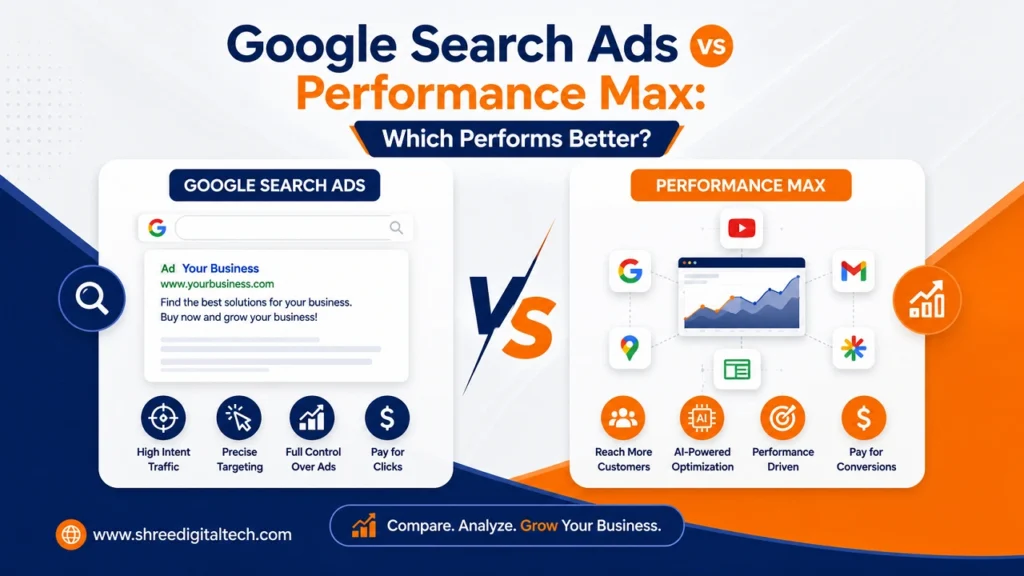
• Performance Max – an AI-driven campaign type that automatically runs across Search, Display, YouTube, Gmail, Maps and Discover with the assets and goals you provide.
• Shopping campaigns – These ads are product-based and include images, prices and store names and are ideal for ecommerce.
• App campaigns – these are powered by machine learning placements and are designed to drive app installs and engagement.
• Local campaigns – these use location-based targeting to increase phone calls and in-store visits for physical businesses.
For most beginners, the smartest move is to start off with a focused Search campaign. It gives you direct control, it’s easier to measure, and it helps you understand how bidding and Quality Score actually behave before you move on to automated formats like Performance Max.
Setting Up Your Profile and Keyword Research
First, create a free account at ads.google.com, enter your business information, the country where you will be billed, your time zone and currency, and connect the website or landing page you want to promote.
But keyword research has to be done first, before you write a single ad. Keywords are the search terms that trigger your ad. The right choice of keywords will determine whether your budget is spent on truly interested buyers or wasted clicks. Google’s free Keyword Planner tool is a good place to start – it gives you estimated search volume, competition level and rough costs for any term you enter.
You should also know about keyword match types, which are the rules determining how close a search has to be to your chosen keyword for your ad to be shown:
• Exact match only shows your ad for that term (and close variants like common misspellings).
• Phrase match keeps the order and wording of your keyword the same, but allows for other words to come before or after.
• Broad match casts the widest net and triggers on searches that Google considers to be semantically related. This is useful to have with strong automated bidding but can be dangerous without a solid negative keyword list.
By the way, negative keywords are just as important as the keywords you are bidding on. They tell Google which searches to ignore, so your ad doesn’t show up for irrelevant searches and silently waste your budget.
What are Bidding Strategies?
Your bidding strategy determines how much you pay for a click, view or conversion, so choosing the right bidding strategy shapes both your costs and your results.
• Manual CPC – you set your own bids. Good for learning but time consuming to manage.
• Maximise Clicks – Google will try to get you the most traffic for your daily budget.
• Maximise Conversions – the algorithm will automatically adjust your bids to try and get as many conversions as possible. This works best once you have some conversion history.
• Target CPA – you tell Google the most you will pay for an acquisition and the bidding adjusts to hit your target.
• Target ROAS – a common choice for ecommerce advertisers who want Google to bid for a particular return on revenue.
• Maximise Conversion Value – focuses the highest-value conversions rather than simply the highest number of them.
One quick way to get an idea of your budget: figure out your profit per sale, figure out how much of that profit you’re willing to spend on advertising, then divide by your expected conversion rate for a realistic maximum cost-per-click. It is a lot safer to start off with a small daily budget and make adjustments once you have some actual click data, than to guess a large number up front.
How to Write Ads That Sell
Most Search ads today default to Responsive Search Ads: you provide multiple headlines and descriptions and Google tests different combinations to see what performs well. There are a couple things that make this way more effective:
• Use the exact words people search for in your headlines — Google often bolds matching terms, which grabs the eye and signals relevance immediately.
• Use different value propositions in different headlines (free shipping, quick delivery, limited time discount), so the system has real options to test with each other.
• Make sure your landing page is tightly aligned with the promise in your ad. A landing page that doesn’t match or loads slowly will kill your conversions and hurt your Quality Score, no matter how good the ad itself is.
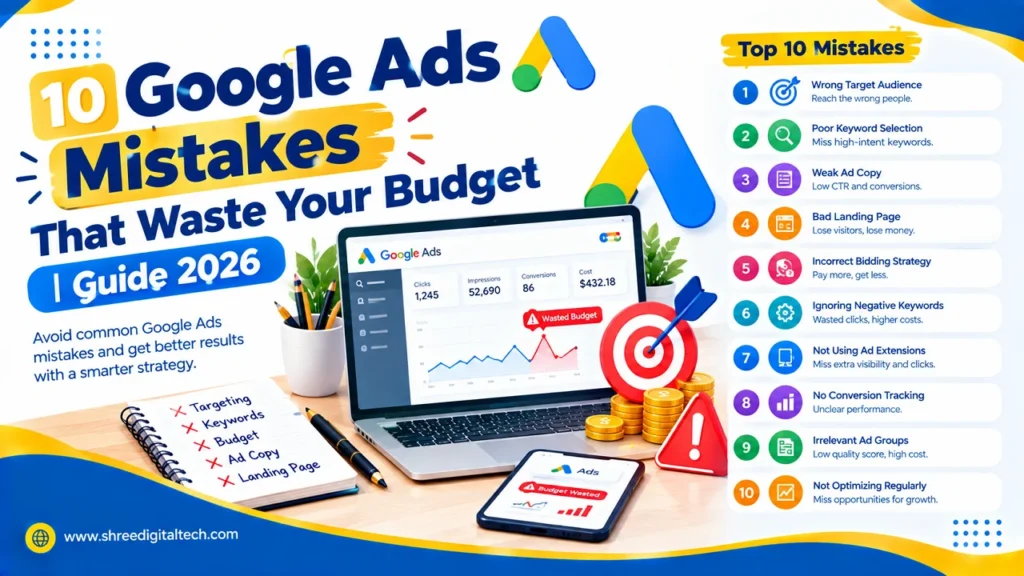
Mistakes to Avoid as a Beginner
But with much of the heavy lifting already done by Google’s AI, a few avoidable errors trip up almost every new advertiser:
1. Not using negative keywords with broad keywords, letting irrelevant searches eat thru your budget.
2. Avoiding the landing page experience – a confusing or slow page may destroy even a great ad.
3. Skipping conversion tracking means you’re optimising blind, not knowing what’s actually working.
4. Launching too many campaigns at once and spreading your budget too thin, which slows down the data Google needs to properly optimise.
5. Expecting immediate results without testing – most accounts require a few weeks of adjustment period before performance stabilises, as Google is still learning how your ads perform.
6. Setting CPA or budget targets that are too low so your account can’t get better with the data over time.
Final Thoughts
Google Ads pays more for patience and structure than for luck. Start with one well defined Search campaign, do proper keyword research, track your conversions from day one and give the algorithm a couple of weeks to learn before judging results. As you get comfortable with the fundamentals—bidding, Quality Score, testing ad copy—you can start to branch out into Display, Shopping, Video or Performance Max campaigns to cover more of your customer’s journey. On the surface, the platform may look complicated but the basics covered here are enough to launch a truly effective first campaign.
FAQs
1. What is the minimum amount of money required to use Google Ads?
No minimum set amount – many beginners start out with $10-$20 a day. Start small, get click data, and scale when you know your conversion rate—you will be better in the end.
2. Is Google Ads beginner friendly?
Yes, especially with automated bidding and Responsive Search Ads, the platform is relatively easy for beginners to use. That said, taking some time to do some keyword research and setting up tracking can make a huge difference in results.
3. Difference between Google Ads and SEO?
SEO takes months to build up free organic rankings. Google Ads gives you instant paid visibility at the top of search results. Most businesses eventually use both together for both short term and long-term visibility.
4. Can you do Google Ads without a website?
Technically, you will need a landing page for people to land on after clicking, but it doesn’t have to be a full website — a single dedicated landing page is fine. Some campaign types, such as call-only ads, require even less setup.
5. How long will it take for a new campaign to show results?
Most accounts go through an initial phase period of 2-4 weeks where Google is learning how your ads are performing. Some businesses get early clicks within days but reliable, steady data usually takes a few weeks.
6. Why is my cost per click, CPC, so high?
A high CPC is usually the result of a low-quality score, competitive keywords or an ad that doesn’t match your landing page. The quickest way to lower costs is to improve ad relevance and landing page experience.