Website speed affects how visitors feel about your site. People don’t like waiting. If a page takes too long to load, they leave and you lose a customer, a reader, a sale. Slow pages can hurt your search engine ranking as well. Many site owners concentrate on design and content, but your web hosting is just as important. Hosting is the ground your entire website is built on. This article explains how hosting impacts speed and how to select a better one.
What Does Web Hosting Do?
A web host stores the files that make up your website (text, images, videos) on a server. When someone types your address into a browser, the browser asks that server for your files. The quicker the server responds, the faster your page will load.
A weak or overloaded server will reply slowly. This can lead to slow load times, delays every time users click something and sometimes connection issues. Most of these problems are avoided by a good host.
Also Read: Web Hosting Mistakes to Avoid for Your Website
Key Hosting Factors That Affect Speed
1. Server Hardware
The physical server is a big deal. Good hosts use modern CPUs, enough RAM per site and solid state drives (SSDs). SSDs are much faster than old hard drives when reading and writing data, so your pages open faster.
2. Type of Hosting
The number of resources you get depends on your plan type:
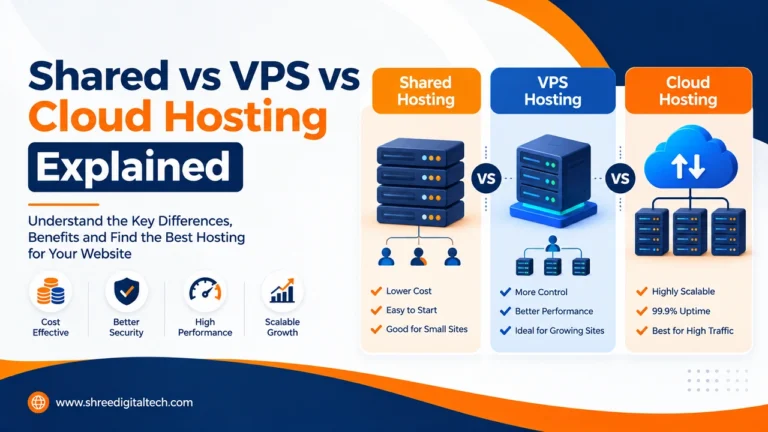
- Shared hosting: One server for many websites. It is cheap but your site can slow down if a neighbouring site gets heavy traffic. It is good for small, low traffic sites.
- VPS hosting: It’s still a shared server, but you have a dedicated section of it. It’s a good intermediate choice for growing sites.
- Dedicated hosting: You get a whole server all to yourself. It provides the best performance and is perfect for large online stores or busy sites.
3. Server Location
our visitor receives the data from the server. The further away the server is, the longer the journey. This delay is called latency. If the majority of your visitors are in India, then a server located in India will usually serve them faster than a server on another continent. Choose a host with data centers near your audience.
4. Network Quality
A fast network is as important as a fast server. Look for three things:
- Bandwidth: how much data the network can carry at once.
- Redundancy: backup internet connections, so your site stays online if one provider fails.
- Low latency: content reaches users quickly.
5. Server Software and Caching
Good hosts tweak their software, like NGINX and modern versions of PHP, to handle lots of requests without breaking a sweat. Many also use caching, which saves a copy of your pages or files ready to be sent. The server doesn’t have to rebuild the page every single time for each visitor so it loads a lot faster. HTTP/2 also helps when loading many files at once over a single connection.
6. CDN (Content Delivery Network)
A CDN keeps copies of your images, CSS and JavaScript on servers in multiple countries. When someone visits your site, the files are delivered from the closest server. This is useful for visitors far away from your main server. This also reduces the load on your hosting server and allows it to handle more visitors.
Also Read: Shared vs VPS vs Cloud Hosting Explained
7. Scalability
You may see more visitors to your site over time or a sudden rush following a sale or viral post. A good host will make upgrading simple for you. Some, like cloud hosts, will automatically add resources when traffic spikes up. Load balancing spreads visitors across many servers so that one server does not become overwhelmed.
How Hosting Affects SEO
Search engines like Google want to show fast, reliable websites. How Hosting Affects SEO in a Few Different Ways:
- Speed: Slow servers make slow pages and slow pages can rank lower.
- Uptime: Most reputable hosts promise around 99.9% uptime. If your site is down often, the search engine bots cannot visit your site and may think it is unreliable.
- Location: If you are targeting local visitors, a local server can give you a small speed advantage.
- Security: Malware sites can be removed from search results. Pick a host that gives you SSL, regular updates and malware protection.
Hosting Alone Is Not Enough
Even the best hosting can’t save a poorly built site. You have to do your part too:
- Compress images and use modern formats like WebP.
- Minify CSS, JavaScript, and HTML to reduce file size.
- Use lazy loading so images load only when needed.
- Enable browser caching so returning visitors load pages faster.
- Remove heavy themes and extra scripts that you do not need.
Good hosting and good website optimization work together.
Also Read: How To Choose the Top Web Hosting for Your Website
How to Choose the Right Hosting
- Set your goals. Decide how fast your pages should load and how many visitors you expect.
- Test your current speed. Tools like Google PageSpeed Insights and Pingdom show your weak points.
- Pick the right plan size. Match the CPU, RAM, storage, and bandwidth to your needs, and leave room to grow.
- Check the host’s technology. Look for SSDs, a CDN, caching, HTTP/2, strong security, and data centers near your visitors.
- Test before you commit. If possible, try your site on a trial or staging setup and compare real results.
- Review once a year. As your site grows, your hosting needs may change.
A more expensive plan does not always mean better results. The best plan is the one that fits your site today and can grow with you.
Conclusion
Web hosting is a critical component of website speed. How fast your pages load depends on your server hardware, hosting type, location, network, caching, CDN and ability to scale. A fast site makes visitors happy, helps your SEO and supports more sales. Choose your host wisely, keep your website optimised and check your speed regularly.
FAQ
1. How quickly should my website load?
A good load time is generally between 1 and 3 seconds. Speed is a good thing, especially on mobile.
2. Can slow hosting actually hurt my SEO?
Yes. Search engines favour fast websites, and slow servers produce slow pages. Frequent downtime can also prevent search bots from properly crawling your site.
3. What is the fastest hosting type?
In general, dedicated hosting delivers the best speed because there’s no sharing of resources. VPS is a good middle option and shared hosting is best for small sites with low traffic.
4. Do I need a CDN?
If you have visitors from many countries it is a great help. A CDN serves files from the closest server to each visitor, which makes pages load faster. It’s not that important for a small local site.
5. Does expensive hosting always create a better website?
No. Select a plan that fits your site size and traffic, and upgrade as you grow. Your site optimization counts, too.
6. How frequently should I test my website speed?
Test frequently. At the very least, test after adding new content, installing plugins, or performing major updates.
7. Will switching my host hurt my SEO?
It can if the move is wrong or the new host is slower. Research the new host for speed, uptime and security first. Follow a careful migration process.
Ask AI about this article
Get a quick summary or ask follow-up questions.

Akash Yadav
Part of the Shree Digital Tech team, helping businesses in the USA, UK, Canada, Australia, Europe and India grow with SEO, paid media, content and websites.