In this article
- 1 Introduction
- 2. Choosing the Cheapest Plan Rather Than the Right Plan
- 3. Ignoring the Quality of Customer Support
- 4. Failing to Plan for Future Growth
- 5. Ignoring Security Features
- 6. Ignore Server Location
- 7. Assuming Backups Are Automatic
- 8. Failing to Read Renewal Prices and Terms Carefully
- 9. Choosing the Wrong Type of Hosting
- 10. Ignoring Actual User Feedback
- 11. Treating Hosting as a Long-Term Choice
- Final Thoughts
- Frequently Asked Questions
1 Introduction
Choosing Web hosting is easy until something goes wrong. Your site loads extremely slow, crashes during a massive sale, or your “unlimited” plan suddenly has restrictions. A lot of these issues are caused by small mistakes made at the start, most of the time without realising it. Whether you’re just beginning a new website or already have one, knowing about these common web hosting mistakes can save you money, time and a lot of frustration down the road. Let’s examine them one at a time.
2. Choosing the Cheapest Plan Rather Than the Right Plan
The most common mistake beginners make when choosing hosting is price. A cheap plan is tempting but they generally have little storage, bandwidth, weak servers and poor customer support. Your website’s speed and reliability are directly proportional to the quality of your hosting. So don’t just look at the price tag, but look for uptime guarantees, server performance, security features, and real customer reviews instead. There’s a big difference between “cheapest” and “affordable”. Affordable hosting means good value for your money, but the cheapest option might cost you more in the long run through lost visitors and downtime.
Also Read: Shared vs VPS vs Cloud Hosting Explained
3. Ignoring the Quality of Customer Support
Nobody thinks about support until something breaks. An email doesn’t work, or the whole site goes down. A small technical issue can mean hours of downtime if your host doesn’t offer fast, reliable support. Before signing up, verify that the provider has 24/7 live chat, phone support or ticket support with fast response times. Good support is not a nice-to-have, it is a must.
4. Failing to Plan for Future Growth
Most websites start small, but as time goes on the demands for traffic, content, and resources grow. Without a scalable hosting plan, your site may crash during high traffic or slow down as it grows. Make sure you pick a host that allows you to smoothly upgrade to VPS, cloud or dedicated hosting with no downtime, so growth isn’t a technical headache.
5. Ignoring Security Features
Many website owners think that hackers only go after big or popular sites. In fact, small and new websites are easier targets because they are less secure. Skipping basic security can result in malware attacks, stolen data or a fully hacked website. Search for hosting plans with the following features: free SSL certificate, regular backups, malware scanning, firewall protection, and DDoS protection. These are not optional extras, these are the basics that every website needs.
6. Ignore Server Location
The speed of your website is directly impacted by the server’s location. If your target market is India but your server is located in another country, your visitors will experience slower load times. Select a hosting provider with servers near your primary audience, or consider a host that provides a Content Delivery Network (CDN) to accelerate things for visitors everywhere.
7. Assuming Backups Are Automatic
One common and expensive assumption is that your hosting company is automatically backing up your website each day. That’s not always the case. With no regular backups, one little mistake, plugin conflict or virus can take down your whole site with no way of recovering it. Always choose a plan that provides automatic daily backups and easy restore so you’re covered no matter what happens.
Also Read: How To Choose the Top Web Hosting for Your Website
8. Failing to Read Renewal Prices and Terms Carefully
Many hosting companies offer a very low price to attract new customers, and then charge a lot more when it comes time to renew. If you don’t look at the renewal price, refund policy, and hidden limits (like storage or email caps) when you buy, you might be in for an unpleasant surprise down the road. Always read the terms of service, and compare the renewal cost, not just the intro offer.
9. Choosing the Wrong Type of Hosting
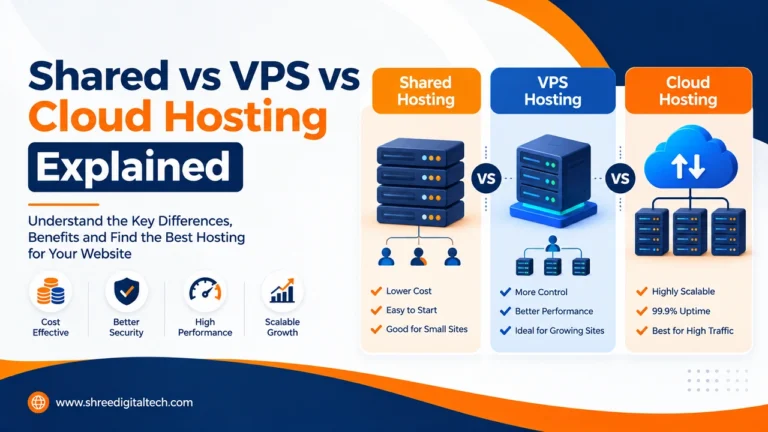
Shared hosting, VPS, cloud and dedicated hosting all fit different needs. A website with a lot of visitors on basic shared hosting will have a hard time, and putting a small blog on a pricey dedicated server is not worth the money. Know your website traffic, platform (WordPress, online store, etc.) and technical requirements before you choose a hosting type.
10. Ignoring Actual User Feedback
It’s easy to believe the ads or influencer endorsements, but they don’t always tell the whole story. Check real reviews on platforms like Google and Trustpilot before choosing a host and watch out for consistent feedback on uptime, support quality and hidden costs. Real reviews show issues that marketing pages never mention.
11. Treating Hosting as a Long-Term Choice
Many people pick a host and never look back as time passes and your website grows. This could result in slower loading speeds, more downtime and outdated security over time. You should check your website speed from time to time, check if you have downtime, check if support is responsive, and check if your plan supports your traffic. If the answers are troubling, it may be time to make a change.
Final Thoughts
Your web hosting is the invisible backbone of your entire web site. Good design and content are important but none of it works well without reliable hosting behind it. You can make your website faster, safer, and more stable in the long run if you don’t make these common mistakes: looking for the cheapest price, skipping support, skipping security, and forgetting about growth.
Frequently Asked Questions
1. What is the biggest web hosting mistake beginners make?
Opting for a plan solely because it is the cheapest, without investigating its performance, security, uptime and support.
2. Does cheap hosting mean bad hosting?
Not always, but hosting that is very cheap or even free usually has fewer resources, less secure, and slower customer service. It is important to compare value not just price.
3. Why is the location of the hosting server important?
Your pages will load faster if your server is close to the people who visit your site. If your audience is far away from your server, use a CDN to improve speed.
4. Do hosting providers backup my website automatically?
No, not all hosts provide automatic backups. Always check this feature and go for a plan that has daily backups and easy restore options.
5. How do I know when my website needs to upgrade hosting?
Symptoms include slow loading speed, frequent downtime, unresponsive support, and difficulty handling growing traffic. These are tell-tale signs that you need to review or upgrade your plan.
6. Is it a bad idea to use shared hosting?
No, shared hosting is perfect for small websites and blogs with low to moderate traffic. This only becomes an issue when you’re using it for high-traffic or resource-heavy websites.
7. What Security Features to Look for in a Hosting Plan?
Every hosting plan should include the basics such as a free SSL certificate, regular backups, malware scanning, firewall protection, and DDoS protection.
Ask AI about this article
Get a quick summary or ask follow-up questions.

Akash Yadav
Part of the Shree Digital Tech team, helping businesses in the USA, UK, Canada, Australia, Europe and India grow with SEO, paid media, content and websites.